Swap exercises, reorder days where supported, and remove items that do not fit your facility — edits are yours to own before the next regeneration.
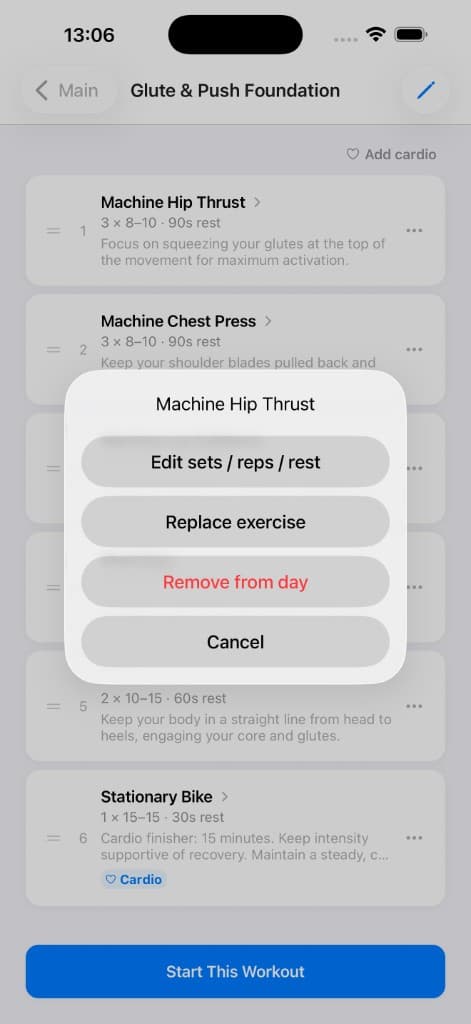
Program day editing
Edit sets, reps, rest, replace an exercise, or remove it from a day.
Why it matters
No generator knows your gym’s exact machine line-up. Editing bridges AI suggestions and your real environment.
How to use it
- Open day detail and use replace flows to sub exercises from the library.
- Reorder when the app allows so supersets and fatigue ordering stay logical.
- Remove movements you cannot perform pain-free and pick close substitutes.
Tips
- Rename or note equipment in exercise notes if teammates share the same account device.
- Duplicate unusual setups into templates if you reuse the same custom day often.
Related features
Discover adjacent workflows — PlateLoad gets more valuable when pieces connect.