Rest timers remind you when to start your next set. They can auto-start after you complete a set and respect supersets.
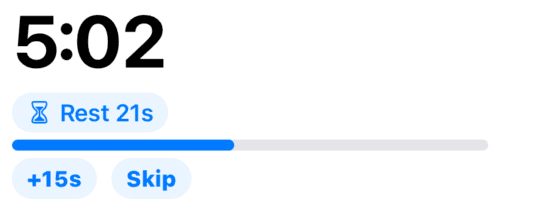
Rest timer
The active timer shows remaining rest with extend and skip controls.
Why it matters
Consistent rest makes sessions comparable week to week and keeps you honest on hard days.
How to use it
- Start a timer from the rest control on an exercise when you want a countdown.
- Adjust presets in settings if your default lengths differ from the Program.
- When auto-restart is enabled, finishing a set begins the countdown immediately.
Tips
- Shorter rest on accessories and longer on heavy compounds is normal — override per session as needed.
- If you superset exercises, follow the on-screen flow; timers align to the grouped work.
Related features
Discover adjacent workflows — PlateLoad gets more valuable when pieces connect.