Protein Boosts (Premium) raise protein toward your goal without discarding the rest of the generated day — a surgical fix when you are close but not quite there.
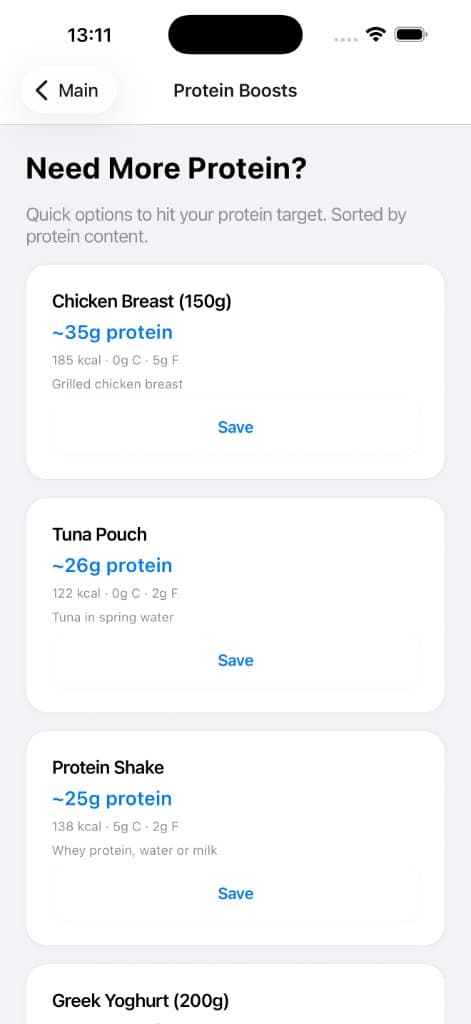
Protein Boosts
Quick high-protein options help close a shortfall without rebuilding the day.
Why it matters
Rebuilding an entire plan for ten grams of protein is frustrating. Boosts respect your time and keep the other macros stable.
How to use it
- Open Protein Boosts from the nutrition flow when the app highlights a shortfall.
- Pick an option that fits your appetite and cooking capacity.
- Re-check daily totals after applying a boost.
Tips
- Lean on boosts after travel or high-step days when protein collapses late.
- If boosts appear often, revisit meal timing or default portion sizes.
Related features
Discover adjacent workflows — PlateLoad gets more valuable when pieces connect.
- Macro targets and overridesDaily targets set calories and macronutrients. You can accept calculated values from your goal profile or apply cautious manual overrides when a coach prescribes different numbers.
- Free vs PremiumFree includes core logging, basic programming, and limited AI nutrition features. Premium unlocks unlimited Program regeneration, deeper meal planning, template sharing, full coach insights, adaptive adjustments, expanded photo logging, and more.
- Meal plansGenerate structured day plans with meals, macros, and practical recipes sized to your targets.